An iCloud lock check does not take long, and it protects you from paying for an iPhone you cannot use. Apple’s advice is simple: do not buy an iPhone that is still Activation Locked, and ask the seller to erase it in front of you so you can see the Hello setup screen. These are the six steps to follow when you buy a used, Ex-UK or refurbished iPhone in Kenya.
In this guide
- The six steps
- What if the phone is locked after you pay?
- What you can ask iPhone Deals to show you
- FAQs
Table of Contents
iCloud lock check: 6 steps before you pay
- Ask to inspect the exact phone. Hold the unit you will pay for, not a sample. The shop’s seller and listing checks page gives the same advice.
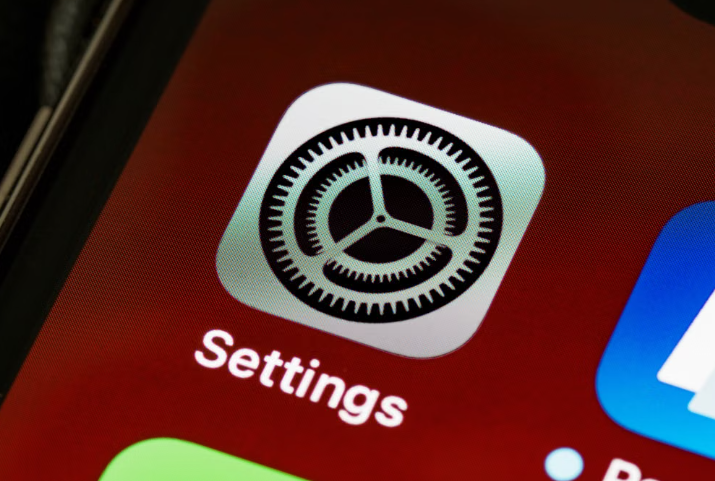
- Ask the seller to erase it. On the phone, go to Settings, General, Transfer or Reset iPhone, then Erase All Content and Settings. If it asks for an Apple Account password that is not yours, the previous owner’s account is still linked. Do not pay.
- Look for the Hello screen. After the erase, the phone restarts to a Hello screen and asks you to set it up. Apple says a Hello screen means it has been erased. If you see “iPhone Locked to Owner”, the phone is Activation Locked. Do not buy it.
- Check for a carrier lock. In Settings, General, About, look for “No SIM restrictions” next to Carrier Lock. That means the iPhone is unlocked.
- Check battery health and parts. Open Settings, Battery, Battery Health. In Settings, General, About, check Parts and Service History if it is shown, and look for “Unknown” parts.
- Check the serial number and IMEI. Our IMEI check guide shows how, and our guide to spotting a fake iPhone covers clones.
Only pay once all six steps pass. For payment safety, read the M-PESA safety guide on the main site. Apple’s full list is in If you want to buy a preowned iPhone.
What if the phone is locked after you pay?
Apple says Activation Lock is removed by the previous owner, so the person who sold you the phone has to remove it. Apple’s page on Activation Lock explains how it works.
Check the seller’s return rules before you pay. The iPhone Deals return and warranty policy says goods once sold cannot be returned, apart from repair, replace or refund under the warranty terms. That is why you check the phone first, not afterwards.
What you can ask iPhone Deals to show you
The shop lists four condition labels: New, Refurbished, Used and Ex-UK, and says each handset is graded individually and confirmed before you order. Ask to see the exact unit and run steps 2 to 5 above before you pay. The shop is at Kimathi House, 4th Floor, Suite 404, Kimathi Street, Nairobi CBD. Call 0700 555 507 to confirm stock before you travel.
iCloud lock check FAQs
Is an iCloud lock check the same as an IMEI check?
No. An IMEI or serial number check confirms the identity of the phone. An iCloud lock check confirms the previous owner’s account is gone, so you can set the phone up as yours.
Can a shop remove an iCloud lock?
Apple’s guidance is that the previous owner removes Activation Lock. Do not buy a phone that is still locked and rely on someone promising to fix it later.
What does “iPhone Locked to Owner” mean?
It is the Activation Lock screen. The phone is tied to the previous owner’s Apple Account and you cannot use it until they remove it.
Does a Hello screen mean the phone is safe to buy?
It means the phone has been erased. Apple says to also check the other items: carrier lock, battery health and parts history.
Guide maintained by iPhone Deals, Kimathi House, 4th Floor, Suite 404, Kimathi Street, Nairobi CBD, Kenya. Phone: 0700 555 507. Open Monday to Saturday, 8:00 AM to 7:00 PM, and Sunday, 9:00 AM to 6:00 PM. Prices checked on 1 November 2026.
Sources: Apple: If you want to buy a preowned iPhone, Apple: Activation Lock for iPhone and iPad, iPhone Deals seller and listing checks, iPhone Deals return and warranty policy.